<?xml version="1.0" encoding="UTF-8"?>
<feed xmlns="http://www.w3.org/2005/Atom">
    <title>PC School Mu</title>
    <link rel="alternate" type="text/html" href="http://pcscmu.com/" />
    <link rel="self" type="application/atom+xml" href="http://pcscmu.com/atom.xml" />
    <id>tag:pcscmu.com,2007-10-31://16</id>
    <updated>2007-10-31T14:24:10Z</updated>
    <subtitle>パソコン教室ムーは、皆様の暮らしにパソコンをいかに役立てるか、をテーマに教えています。
初心者から経験者まで、1時間単位で指導 を行っていますので、お気軽にご相談ください。随時受付中！</subtitle>
    <generator uri="http://www.sixapart.com/movabletype/">Movable Type Publishing Platform 4.01</generator>

<entry>
    <title>講座概要</title>
    <link rel="alternate" type="text/html" href="http://pcscmu.com/2006/01/post.html" />
    <id>tag:pcscmu.com,2006://16.861</id>

    <published>2006-01-19T18:10:14Z</published>
    <updated>2007-10-31T18:03:15Z</updated>

    <summary>初心者からある程度の経験者まで、1時間単位のマンツーマンによる指導。 　内容は、...</summary>
    <author>
        <name></name>
        <uri>kinjomu.com</uri>
    </author>
    
        <category term="1 教室案内" scheme="http://www.sixapart.com/ns/types#category" />
    
    
    <content type="html" xml:lang="ja" xml:base="http://pcscmu.com/">
        <![CDATA[<p>初心者からある程度の経験者まで、1時間単位のマンツーマンによる指導。</p>

<p>　内容は、概ね初心者向けがWindows一般、Word、インターネット・電子メール、ハガキ作成まで、中級向けはExcel、家計簿、 デジカメ・スキャナによる画像処理、CD作成など 。</p>

<p>　上級者向けには、Windowsのセキュリティや保守管理、DVD作成、パソコン組立、Excelの関数・マクロ機能、AccesやPower Pointの操作、Webサイト作成 、資格取得なども指導します。</p>

<p>　基本テキストは、定評ある<a href="http://www.fom.fujitsu.com/goods" onclick="window.open('http://www.fom.fujitsu.com/goods', '', ''); return false">富士通オフィス機器（株）ＦＯＭ出版のトレーニングテキスト</a>を使用 しています。</p>

<p><br />
<big><strong>時間設定</strong></big></p>

<p>　個別にお客様と相談して、下記時間帯の中から行います。</p>

<div align="center">
<table border="1" cellpadding="0" cellspacing="0" style="border-collapse: collapse" bordercolor="#808080" width="500" >
          <tr>
            <td width="10%" align="center">曜日</td>
            <td width="30%" align="center">午　　前</td>
            <td width="30%" align="center">午　　後</td>
          </tr>
          <tr>
            <td width="10%" align="center">月曜日</td>
            <td width="30%" align="center">１０：００～１２：００</td>
            <td width="30%" align="center">１４：３０～１６：３０</td>
          </tr>
          <tr>
            <td width="10%" align="center">火曜日</td>
            <td width="30%" align="center">　</td>
            <td width="30%" align="center">１４：３０～１６：３０</td>
          </tr>
          <tr>
            <td width="10%" align="center">木曜日</td>
            <td width="30%" align="center">１０：００～１２：００</td>
            <td width="30%" align="center">１４：３０～１６：３０</td>
          </tr>
          <tr>
            <td width="10%" align="center">金曜日</td>
            <td width="30%" align="center">１０：００～１２：００</td>
            <td width="30%" align="center">　</td>
          </tr>
          <tr>
            <td width="10%" align="center">土曜日</td>
            <td width="30%" align="center">１０：００～１２：００</td>
            <td width="30%" align="center">　</td>
          </tr>
          </table></div>

<p><br />
<strong><big>料金等</big></strong></p>

<p>　入会金・月会費はありません。</p>

<p>　1時間単位で講座を行いますので、講座の際にお支払い願います。<br />
　テキスト代及び臨時消耗品（CDRやDVD-R、専用紙等）代は別途いただきます。　</p>

<p>　なお、1回の講座では2時間までといたします。</p>

<p>　テキスト代は、概ね１冊2,000円前後です。</p>

<p><br />
<strong><big>注意事項</big></strong></p>

<p>（１）　受講日時について<br />
　必ず事前にご連絡いただき、予約をお願いします。変更の際も同様にご連絡願います。<br />
　出張時は、留守電にしておりますのでよろしくお願いします。<br />
　<br />
（２）　駐車場について<br />
　スーパーの駐車場を利用可能ですが、北側壁沿いのスペースをお使いください。</p>

<p><br />
<strong><big>その他の業務内容</big></strong></p>

<p><strong>◎出張指導</strong><br />
　個別指導時料金＋出張費（市内及び周辺区域は500円、その他は別途見積） </p>

<p><strong>◎サポート</strong><br />
　パソコンのトラブル解決、周辺機器やPC拡張時の接続・設定、インターネット接続・設定、OS等のソフトインストール等、料金はお問い合わせください。 </p>

<p><strong>◎組立・販売</strong><br />
　通信販売等を利用した格安製品や、PC組立キット仕入れ、組立及び販売<br />
　代理購入の場合は、税込購入価格＋送料・振込手数料＋購入価格の５％の手数料をいただきます。<br />
</p>]]>
        
    </content>
</entry>

<entry>
    <title>初級編</title>
    <link rel="alternate" type="text/html" href="http://pcscmu.com/2006/01/post-6.html" />
    <id>tag:pcscmu.com,2006://16.866</id>

    <published>2006-01-19T19:13:54Z</published>
    <updated>2007-10-31T18:26:03Z</updated>

    <summary>☆　Windows 　　・パソコンの起動・終了 　　・マウス操作（クリック・右ク...</summary>
    <author>
        <name></name>
        <uri>kinjomu.com</uri>
    </author>
    
        <category term="2 講座内容" scheme="http://www.sixapart.com/ns/types#category" />
    
    
    <content type="html" xml:lang="ja" xml:base="http://pcscmu.com/">
        <![CDATA[<p><strong>☆　Windows</strong><br />
　　・パソコンの起動・終了<br />
　　・マウス操作（クリック・右クリック・スクロール）<br />
　　・ウィンドウ操作（閉じる、最大化、最小化、ウィンドウサイズ変更）</p>

<p><strong>☆　文書作成（Microsoft Word使用）</strong><br />
　　・タイピング練習<br />
　　・文字入力基礎（変換、カタカナ・英数字・記号、人名・地名、単語登録）<br />
　　・文書作成（範囲選択、文字そろえ、文字飾り、ページ設定、保存、印刷）<br />
　　・表入り文書作成（表挿入、表編集）<br />
　　・表現力ある文書の作成（ワードアート、クリップアート、ページ罫線）</p>

<p><strong>☆　インターネット・電子メール</strong><br />
　　・インターネットの仕組み、プロバイダーの選択<br />
　　・Internet Explorerを使ったホームページの閲覧<br />
　　・Outlook Expressを使ったメールの送受信</p>

<p><strong>☆　ハガキ作成</strong><br />
　　・ハガキ作成ソフトを使用して文面作成、宛名書き</p>

<p><br />
<strong><big>中級編</big></strong></p>

<p><strong>☆　Windows</strong><br />
　　・ファイル操作（削除・移動・コピー、フォルダー作成、ファイル名変更）<br />
　　・デスクトップ画面操作（ショートカット作成、背景変更、解像度変更）<br />
　　・ソフトのインストール</p>

<p><strong>☆　インターネット・電子メール</strong><br />
　　・接続設定、セキュリティ設定<br />
　　・メールアカウント設定、メール受信設定<br />
　　・ファイルダウンロード、データバックアップ</p>

<p><strong>☆　文書作成（Microsoft Word使用）</strong><br />
　　・表現力ある文書の作成（図形、画像挿入、テキストボックスの追加）<br />
　　・長文作成機能（アウトライン、段落番号挿入、脚注、目次作成機能など）<br />
　　・ページ設定（特殊設定、ヘッダー・フッターなど）</p>

<p><strong>☆　表計算ソフト（Microsoft Excel使用）</strong><br />
　　・入力操作、計算式設定、セル操作（コピー、移動、削除）<br />
　　・簡単な関数の使用、罫線、表示形式<br />
　　・グラフ作成機能<br />
　　・データベース機能</p>

<p><strong>☆　名刺・チラシなどの作成</strong><br />
　　・Wordなどを使用して名刺・チラシなどの作成</p>

<p><strong>☆　デジタルカメラなどの画像取込処理</strong><br />
　　・デジタルカメラ画像撮影及び画像取込、スキャナを使った画像取込<br />
　　・トリミング・画質調整など一般的画像処理<br />
　　・画像の一部消去・修正・合成・文字挿入など応用画像処理</p>

<p><strong>☆　データCD・音楽CD</strong><br />
　　・Windowsの機能を使ったCD書き込み<br />
　　・専用ソフトを使ったCD作成、タイトルラベルなどの作成</p>

<p><br />
<strong><big>上級編</big></strong></p>

<p><strong>☆　Windows</strong><br />
　　・PC設定変更・復活、HDD保守（エラーチェック、デフラグ）<br />
　　・セキュリティ（インターネット、ファイル削除・復活）<br />
　　・OS再インストール、ＬＡＮ設定、ユーザー設定</p>

<p><strong>☆　ビデオ画像処理・ＤＶＤ作成</strong><br />
　　・ビデオ画像取込及び編集、ＤＶＤ作成</p>

<p><strong>☆　表計算ソフト</strong><br />
　　・いろいろな関数の利用、データベース機能<br />
　　・ピボットテーブル、マクロ機能など</p>

<p>☆<strong>　AccessやPower Point</strong><br />
　　・データベースソフトMicrosoft Accessの操作<br />
　　・プレゼンテーションソフトMicrosoft Power pointの操作</p>

<p><strong>☆　パソコン組立、グレードアップ</strong><br />
　　・PC部品説明、組立キット・部品購入、ＰＣ組立<br />
　　・CPU・メモリー・HDD・ＣＤＲＷドライブなどの変更<br />
　　・ＯＳインストール、ドライバーソフトインストール</p>

<p><strong>☆　Ｗｅｂサイトやブログの作成及び公開</strong><br />
　　・ネットの仕組み（ドメイン、プロトコル、ブラウザー、アップロード、HTML）<br />
　　・Webサイト等作成（構成、デザイン、ページ作成、画像作成、リンク設定、CGI、<br />
　　　ファイルアップロード、動作チェック）</p>

<p><strong>☆　資格取得</strong><br />
　　・PC系　：初級システムアドミニストレーター、ドットコムマスター<br />
　　　　　　　パソコン検定、パソコン整備士<br />
　　・事務系：ＭＯＵＳ、サーティファイのワード、エクセル検定など</p>]]>
        
    </content>
</entry>

<entry>
    <title>ダウンロード練習</title>
    <link rel="alternate" type="text/html" href="http://pcscmu.com/2006/01/post-13.html" />
    <id>tag:pcscmu.com,2006://16.872</id>

    <published>2006-01-19T19:46:28Z</published>
    <updated>2007-10-31T14:24:10Z</updated>

    <summary>　ダウンロード（Donwload）とは、インターネット上のホームページ（Webs...</summary>
    <author>
        <name></name>
        <uri>kinjomu.com</uri>
    </author>
    
        <category term="3 インターネット・トレーニング" scheme="http://www.sixapart.com/ns/types#category" />
    
    
    <content type="html" xml:lang="ja" xml:base="http://pcscmu.com/">
        <![CDATA[<p>　ダウンロード（Donwload）とは、インターネット上のホームページ（Website）にある、画像や音声などのデータを、皆さんのPCに直接保存することによって、画像や音楽データの再生を楽しむことが可能になるものです。</p>

<p>　なお、Websiteのいろいろなデータはすべて著作権がありますので、あくまで個人で楽しむ範囲で行いましょう。また、ニュースSiteなどによくあるストリーミング再生の動画や音声は保存できない場合がほとんどです。</p>

<p>　また、使用しているソフトのサンプルデータや、プログラム修正などもダウンロードして使える場合が多いです。</p>]]>
        <![CDATA[<p><strong>画像等</strong><br />
　<strong>（１）　デジタルカメラ写真のサンプル</strong><br />
　　　　カメラメーカーのサイトで、製品のサンプル写真をダウンロードしてみましょう。<br />
　　　　画像を右クリックして「対象をファイルに保存」を選んで下さい。<br />
　　　　保存先は「マイ・ピクチャー」にしましょう。<br />
　　　　　<br />
　<strong>（２）　Wordで使用できるひな形文書（テンプレート）</strong><br />
　　　　<a href="http://office.microsoft.com/ja-jp/templates/default.aspx" onclick="window.open('http://office.microsoft.com/ja-jp/templates/default.aspx', '', ''); return false"><strong>Microsoft Office Online　テンプレート</strong></a></p>

<p>　<strong>（３）　Wordで使用できるクリップアート</strong><br />
　　　　<a href="http://office.microsoft.com/clipart/default.aspx?lc=ja-jp" onclick="window.open('http://office.microsoft.com/clipart/default.aspx?lc=ja-jp', '', ''); return false"><strong>Microsoft office Online　クリップアートとメディア</strong></a></p>

<p><strong>音声・音楽</strong><br />
　ダウンロード可能なMIDIファイル（PC用音楽演奏データのこと）を検索して、ダウンロードしてみましょう。</p>

<p><strong>プログラム</strong><br />
　WordやExcelなどの更新プログラムをダウンロードしてみましょう。<br />
　　　　<a href="http://office.microsoft.com/ja-jp/officeupdate/default.aspx" onclick="window.open('http://office.microsoft.com/ja-jp/officeupdate/default.aspx', '', ''); return false"><strong>Microsoft office Online　ダウンロード</strong></a></p>]]>
    </content>
</entry>

<entry>
    <title>ペアーレ沖縄・タピックのパソコン講座について</title>
    <link rel="alternate" type="text/html" href="http://pcscmu.com/2006/02/post-12.html" />
    <id>tag:pcscmu.com,2006://16.873</id>

    <published>2006-02-19T02:20:59Z</published>
    <updated>2008-03-16T18:47:27Z</updated>

    <summary>　平成20年度第1期（4月から7月）のペアーレ沖縄・タピックＰＣ講座受講希望の方...</summary>
    <author>
        <name></name>
        <uri>kinjomu.com</uri>
    </author>
    
        <category term="4 ペアーレ沖縄講座内容" scheme="http://www.sixapart.com/ns/types#category" />
    
    
    <content type="html" xml:lang="ja" xml:base="http://pcscmu.com/">
        <![CDATA[<p>　平成20年度第1期（4月から7月）のペアーレ沖縄・タピックＰＣ講座受講希望の方は、下記のリンクをクリックして内容・スケジュールをご確認ください。<br />
　受付方法等については<a href="http://www.peare-okinawa.gr.jp/" onclick="window.open('http://www.peare-okinawa.gr.jp/', '', ''); return false">ペアーレ沖縄ホームページ</a>にてご確認ください。</p>

<p><a href="http://pcscmu.com/peare-a.htm" onclick="window.open('http://pcscmu.com/peare-a.htm', '', ''); return false">　A講座（初級）</a>　火曜日　10:00～12:00<br />
<a href="http://pcscmu.com/peare-b.htm" onclick="window.open('http://pcscmu.com/peare-b.htm', '', ''); return false">　B講座（初級）</a>　金曜日　13:30～15:30<br />
<a href="http://pcscmu.com/peare-c.htm" onclick="window.open('http://pcscmu.com/peare-c.htm', '', ''); return false">　C講座（中級）</a>　金曜日　16:00～18:00<br />
<a href="http://pcscmu.com/peared-c.htm" onclick="window.open('http://pcscmu.com/peare-d.htm', '', ''); return false">　D講座（中級）</a>　土曜日　13:30～15:30<br />
<a href="http://pcscmu.com/peare-e.htm" onclick="window.open('http://pcscmu.com/peare-e.htm', '', ''); return false">　E講座（上級）</a>　土曜日　16:00～18:00</p>

<p>　必見！　<a href="http://pcscmu.com/2006/02/post-1.html">ペアーレPC講座受講中の皆様への情報</a></p>]]>
        
    </content>
</entry>

<entry>
    <title>ペアーレパソコン講座受講者へのお知らせ・・など</title>
    <link rel="alternate" type="text/html" href="http://pcscmu.com/2006/02/post-1.html" />
    <id>tag:pcscmu.com,2008://16.1120</id>

    <published>2006-02-19T11:55:05Z</published>
    <updated>2008-03-10T12:41:06Z</updated>

    <summary>１　平成19年度第3期上級講座のエクセル追加テキスト及び例題について 　　下記を...</summary>
    <author>
        <name></name>
        <uri>kinjomu.com</uri>
    </author>
    
        <category term="4 ペアーレ沖縄講座内容" scheme="http://www.sixapart.com/ns/types#category" />
    
    
    <content type="html" xml:lang="ja" xml:base="http://pcscmu.com/">
        <![CDATA[<p><strong>１　平成19年度第3期上級講座のエクセル追加テキスト及び例題について</strong><br />
　　下記をクリックするとそれぞれダウンロードできます。<br />
　　クリックしてファイルのダウンロード画面が出たら「保存」をクリックです。<br />
　　<a href="http://pcscmu.com/excel_tuika_text.doc">追加テキスト（全4ページ、Word）</a><br />
　　<a href="http://pcscmu.com/kansuu_tuika.xls">例題（Excel）</a></p>

<p><br />
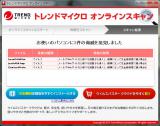
<strong>２　ウィルスバスター2007（有料版）を使用中の方へアドバイス</strong><br />
　ウイルスバスター2007は、メモリー使用量が多く、PCの動作が遅くなる原因となっている可能性があります。<br />
　2008は動作軽快かつ、有害サイトへの接続をストップする機能があり、お勧めです。<br />
　トレンドマイクロのホームページから無料でアップグレードできますので、現在2007を有料で使用している方はアップグレードしてください。</p>

<p>　プロバイダがOCNの方で、OCN提供のウィルスバスター（月額450円）を使ってウィルス防止をしている方へのアドバイス<br />
　　　<a href="http://www.ocn.ne.jp/option/vcheck/vbmonthly/">ＯＣＮホームページのお知らせ</a>を見ると、ウィルスバスター2008に無料バージョンアップできます。</p>

<p><br />
<strong>３　拡大印刷のトラブル</strong><br />
　最近「印刷時に右半分が印刷されない」のはなぜか？と聞かれることがありました。<br />
　Web検索をしてもなかなかそのような症状が見つからずに解決に困っていたのですが・・・。</p>

<p>　どうやら直接コントロールパネルの、プリンタのプロパティ、印刷設定で拡大印刷を設定していたようです。<br />
　このやりかたで拡大印刷を設定してしまうと、ソフトにかかわらず、すべての印刷で拡大されますので要注意です。<br />
　拡大印刷はできるだけ印刷をかけるソフトの設定でかけましょう。</p>

<p>　似たようなトラブルがエクセル講座の中でもありました。エクセルで拡大印刷を設定したのですが、印刷プレビューではちゃんと1枚に収まっているのに、印刷するとさらに拡大印刷され、もちろん用紙からはみ出ていました。<br />
　確認の結果、やはりプリンタのプロパティで直接拡大印刷が設定されていました。(^_^;)<br />
</p>]]>
        
    </content>
</entry>

<entry>
    <title>パソコン教室ムーについて</title>
    <link rel="alternate" type="text/html" href="http://pcscmu.com/2006/02/post-9.html" />
    <id>tag:pcscmu.com,2006://16.874</id>

    <published>2006-02-19T21:25:00Z</published>
    <updated>2007-10-31T14:24:10Z</updated>

    <summary>                    －.com Master 2002★★－...</summary>
    <author>
        <name></name>
        <uri>kinjomu.com</uri>
    </author>
    
    
    <content type="html" xml:lang="ja" xml:base="http://pcscmu.com/">
        <![CDATA[<table width="500" cellspacing="0" align="center" style="border-collapse: collapse" bordercolor="#111111" cellpadding="0" height="560">      
      <td height="30" width="248" colspan="2" bgcolor="#CCFFFF">
      <p align="center"><b><font size="2" color="#000080">－.com Master 2002★★－</font></b></td>
      <td width="252" height="30" bgcolor="#CCFFFF" colspan="2">
      <p align="center"><b><font color="#000080" size="2">－講座内容－</font></b></td>
    </tr>
    <tr>
      <td height="79" width="105" bgcolor="#F0F0F0">
      <p align="center">
      <img border="0" src="http://pcscmu.com/images/commas-logo1.gif" align="center" hspace="0" width="74" height="68"></td>
      <td height="100" width="143" bgcolor="#F0F0F0" align="left">
      <font size="2" color="#808000">
      NTTCommunications<br>
      インターネット検定<br>
      ドットコムマスター2002★★認定<br>
      №0212020001328</font></td>
      <td width="252" height="350" bgcolor="#F0F0F0" colspan="2" rowspan="4">
        <font size="2"><br>
        　　☆　Windowsパソコンの操作全般<br><br>
        　　☆　インターネット・電子メール操作<br><br>
        　　☆　文書作成、表計算ソフトの操作<br><br>
        　　☆　ハガキ・名刺・チラシなどの作成<br><br>
        　　☆　デジカメなどの画像取込処理<br><br>
        　　☆　データCD・音楽CD・ＤＶＤ作成<br><br>
        　　☆　パソコン組立、グレードアップ<br><br>
        　　☆　Ｗｅｂサイトの作成・公開方法<br><br>
　　☆　シスアド、MOUSなどの資格取得<br><br>
　　☆　AccessやPowerpointなどの操作　etc.<br><br>
  　</font></td>
    </tr>
    <tr>
      <td width="248" height="30" colspan="2" bgcolor="#CCFFFF">
      <p align="center">
      <b><font color="#000080" size="2">－学習システム－</font></b></td>
    </tr>
    <tr>
      <td width="248" height="200" colspan="2" align="justify" valign="top" bgcolor="#F0F0F0">
      <p align="center"></p>
      <p align="center">
      <b><font color="#FF0000" size="1"><br>
      </font><font size="5" color="#FF0000">1時間1,500円！</font></b><font color="#800000"><b><br>
      入会金・月会費なし</b></font></p>
      <p style="line-height: 150%" align="left"><font face="ＭＳ ゴシック" color="#800000">
      　　★テキスト代別<br><br>
        　　★随時受付<br><br>
        　　★1時間単位で<br>
        　　　マンツーマン指導！</font></td>
    </tr>
    <tr>
      <td width="244" height="218" colspan="2" rowspan="3" valign="top" bgcolor="#F0F0F0">
      
      <table border="0" cellpadding="0" cellspacing="0" style="border-collapse: collapse" bordercolor="#111111" width="102%" height="174">
        <tr>
          <td width="248" height="30" align="center" colspan="2" bgcolor="#CCFFFF">
      <font color="#000080" size="2"><b>－連　絡　先－</b></font></td>
        </tr>
        <tr>
          <td width="48" height="20" align="center">
      <font size="2" face="ＭＳ ゴシック">Mail</font></td>
          <td width="200" height="20" align="left">
      <img border="0" src="http://pcscmu.com/images/adrress.gif" width="139" height="20"></td>
        </tr>
        <tr>
          <td width="48" height="20" align="center">
      <font size="2" face="ＭＳ ゴシック">電話</font></td>
          <td width="200" height="20" align="left">
          <b><font size="4" color="#000080">098-852-2288</font></b></td>
        </tr>
        <tr>
          <td width="48" height="60" align="center">
      <font size="2" face="ＭＳ ゴシック">場所</font></td>
          <td width="200" height="60" align="left"><font size="2" face="ＭＳ ゴシック">豊見城市真玉橋314<br>
          </font><font size="2">スーパー丸大真玉橋店</font><font size="2" face="ＭＳ ゴシック">敷地内<br>
          </font>　　<font size="2"><a href="http://kinjomu.com/mt/archives/munohome.html" onclick="window.open('http://pcscmu.com/images/pcscmu2.gif','popup','width=400,height=420,scrollbars=no,resizable=no,toolbar=no,directories=no,location=no,menubar=no,status=no,left=0,top=0'); return false">地図を表示</a></font>
　</td>
        </tr>
        <tr>
          <td width="48" height="30" align="center">
      <font size="2" face="ＭＳ ゴシック">時間</font></td>
          <td width="200" height="30" align="left">
          <p align="left"><font face="ＭＳ ゴシック">AM10:00～12:00<br>
          PM 2:00～ 9:30</font></td>
        </tr>
        <tr>
          <td width="48" height="20" align="center">
      <font size="2" face="ＭＳ ゴシック">休日</font></td>
          <td width="200" height="20" align="left">
      <font size="2">水曜日・祝祭日</font></td>
        </tr>
      </table>
      </td>
    </tr>
  
    <tr>
      <td width="252" bgcolor="#CCFFFF" colspan="2"  height="30">
      <p align="center"><b><font size="2" color="#000080">－講　師－</font></b></td>
    </tr>
  
    <tr>
      <td width="50" height="170" valign="top" align="center" bgcolor="#F0F0F0">
      <br>
     <font size="2">氏　名<br><br>
      ＰＣ歴<br><br>
      資　格<br><br>
      　　　　<br>
      <br>
      出張先<br>
      　　　　</font></td>
      <td width="202" height="170" valign="top" align="left" bgcolor="#F0F0F0">
      <br>
      <font size="2">
      金城　努　（きんじょう　つとむ）<br><br>
      約13年<br><br>
      初級システムアドミニストレーター<br>
      .com Master ２００２★★<br>
      パソコン整備士２級<br><br>     
      <b><a target="_blank" href="http://www.peare-okinawa.gr.jp/">ペアーレ沖縄</a></b>パソコン講座講師</font></td>
</table>]]>
        
    </content>
</entry>

</feed>